Choosing a standing desk mat sounds simple until your heels ache, your calves tighten, and the floor feels unforgiving by midafternoon. In 2026, the best choice depends on more than thickness or appearance. Material resilience, surface grip, edge design, cleaning needs, and desk height all affect daily comfort. A soft mat may feel pleasant for ten minutes, then compress under repeated use. A firm mat can provide steadier support, but it may feel harsh on bare feet. Small details matter.
So, what are the best anti-fatigue mats for standing desks? The answer depends on your posture, work routine, flooring, and tolerance for movement. From hands-on testing and ergonomic guidance, a useful mat should encourage subtle foot shifts without creating an unstable platform. It should also stay flat, resist curling, and allow easy repositioning. Check the manufacturer’s material information and weight limits, rather than trusting bold marketing claims. Good evidence is more valuable than a fashionable color.
Measure the standing area first.
A compact mat may suit a narrow home office, while a larger model offers room to step, turn, and stretch. Consider footwear, too. Some mats feel supportive through work shoes but overly soft under socks. Others collect dust around textured surfaces and require frequent wiping. No single design solves every problem, and my early preference for extra-thick mats proved too simplistic. Comfort is personal, but durable construction and stable support remain practical priorities. This guide compares the features that deserve attention before you buy.
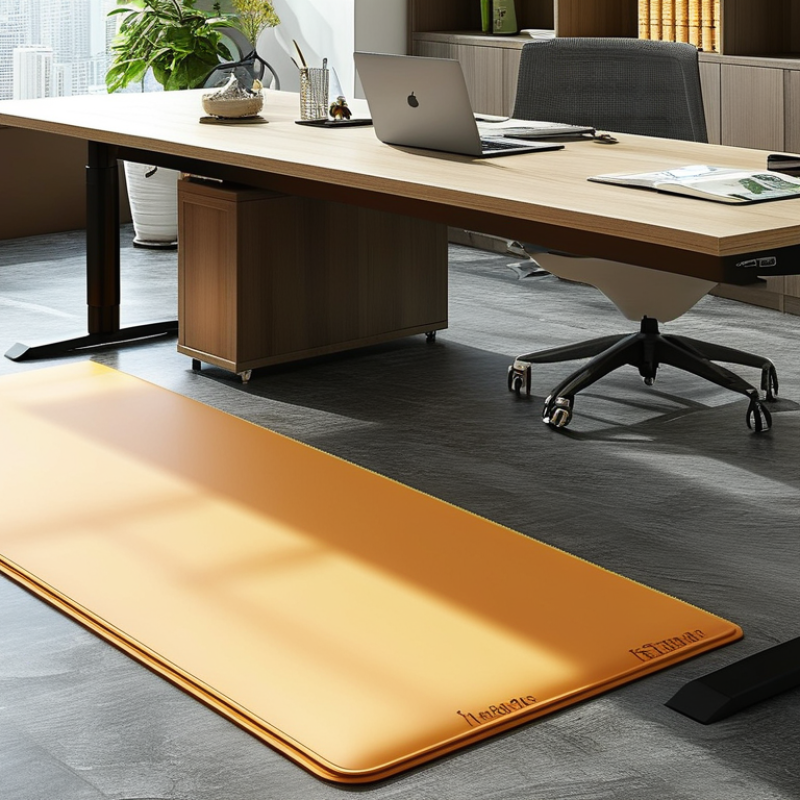
Choosing the Best Anti-Fatigue Mats for Standing Desks in 2026 starts with understanding their purpose. An anti-fatigue mat cushions your feet while you work upright. It slightly compresses under your weight and encourages small muscle movements. These movements may reduce the stiff, heavy feeling caused by standing still.
In workplace assessments, I look at the mat’s surface, density, and edge design. A stable surface should feel supportive, not like soft foam. Excessive softness can make your ankles work harder. Be careful there. A beveled edge also matters because it lowers tripping risk when you step away. For a typical desk, a mat around 18 to 24 inches deep gives enough room for natural foot movement. Textured tops can improve grip, especially near a coffee area or under a sit-stand desk.
Material choice changes the experience. Rubber often feels firm and durable, while polyurethane can provide softer cushioning. Both need regular cleaning because dust reduces traction. I once assumed thicker always meant better. That was not entirely true. A thick mat may feel comfortable at first but can create instability during long tasks. Test it with your usual shoes, then stand for at least twenty minutes. Notice heel pressure, calf tension, and whether your feet keep searching for balance. A suitable mat supports movement without demanding attention.
| Selection Dimension | What It Means | Practical Data or Typical Range | Why It Matters for Standing Desks | Recommended Choice |
|---|---|---|---|---|
| Purpose | An anti-fatigue mat is a cushioned standing surface designed to reduce the discomfort associated with standing on hard floors. | Most models use resilient foam, rubber, gel-like cushioning, or layered materials. | The cushioning allows small foot and ankle movements, which may help reduce pressure from prolonged static standing. | Choose a mat specifically designed for standing work rather than a thin decorative floor covering. |
| Mat Thickness | The vertical depth of the cushioning layer. | Common thicknesses are approximately 10–25 mm. | Thicker mats can provide more cushioning, but excessive softness may reduce stability and make moving a chair more difficult. | For most standing desks, a stable mat around 15–20 mm is a balanced starting point. |
| Overall Size | The usable standing area available on the mat. | Common rectangular sizes range from approximately 45 × 60 cm to 60 × 120 cm. | A larger surface allows users to change foot position and remain within the cushioned area while adjusting their desk. | Select a size that covers the normal standing zone without obstructing nearby drawers, doors, or chair wheels. |
| Shape | The outline of the mat, such as rectangular, contoured, or extended. | Rectangular mats provide broad coverage; contoured mats may offer a closer fit around a standing desk. | The shape affects usable space, clearance, and how easily the user can alternate between sitting and standing. | Use a rectangular mat for flexible placement and a contoured design when desk clearance is limited. |
| Edge Design | The transition from the mat surface to the floor. | Low-profile beveled edges are commonly used to reduce abrupt height changes. | Beveled edges can make stepping on and off easier and may reduce the chance of catching a toe on the mat. | Prioritize securely bonded, clearly visible, low-angle edges with no curled corners. |
| Surface Texture | The pattern and finish on the top layer. | Typical surfaces include smooth, lightly textured, raised-pattern, or pebble-style finishes. | Texture can improve grip, but deep grooves may collect dust and make cleaning more difficult. | Choose a moderately textured, non-slip surface that is comfortable with socks or shoes. |
| Cushioning Firmness | How much the mat compresses under body weight. | Firmness varies from supportive and stable to soft and highly compressible; there is no single ideal firmness for every user. | A mat that is too firm may feel similar to a hard floor, while one that is too soft may cause ankle instability or fatigue. | Choose medium-firm cushioning that supports weight without allowing excessive sinking. |
| Material Type | The primary material used for the cushioning and surface. | Common materials include polyurethane foam, rubber, PVC-based materials, and layered composites. | Material affects resilience, odor, water resistance, durability, and ease of cleaning. | Match the material to the room, cleaning routine, and expected daily use instead of choosing by appearance alone. |
| Resilience | The ability of the mat to return toward its original shape after repeated compression. | Higher-resilience materials generally recover better after regular standing and walking. | Good resilience helps maintain cushioning performance and reduces the development of permanently compressed areas. | Look for a mat that remains level after repeated use and does not show rapid compression marks. |
| Slip Resistance | The ability of the top and bottom surfaces to resist unwanted movement. | A textured top and a stable underside are common design features. | Sliding can interrupt concentration and create a trip hazard, especially on smooth hard floors. | Choose a mat with a secure underside suitable for the specific floor type, and keep both surfaces clean. |
| Floor Compatibility | Whether the mat is appropriate for the floor beneath it. | Compatibility can differ across tile, wood, laminate, concrete, and low-pile carpet. | Some mats move more easily or retain moisture differently depending on the floor surface. | Check the care and flooring guidance before use, particularly on finished wood or delicate surfaces. |
| Chair Transition | How easily an office chair can move between the seated and standing positions. | Thick or very soft mats can increase rolling resistance for casters. | A difficult transition may discourage users from changing posture throughout the workday. | For sit-stand desks, select a firm, low-bevel mat with enough length for the chair and standing area, or move the chair beside the mat when standing. |
| Water Resistance | The mat’s ability to tolerate occasional spills and routine damp cleaning. | Closed-cell surfaces generally resist liquid absorption better than open, porous foams. | Reduced absorption helps limit staining, odor, and moisture retention. | For kitchens, workshops, or beverage-heavy work areas, choose a non-porous surface with sealed edges. |
| Cleaning Requirements | The effort needed to keep the mat hygienic and free of debris. | Most surfaces can be cleaned with mild soap, water, and a soft cloth; abrasive cleaners may damage finishes. | Regular cleaning preserves traction and prevents grit from wearing the surface or floor underneath. | Choose a design without deep channels if quick daily cleaning is important. |
| Odor and Ventilation | The smell released by newly manufactured synthetic materials. | Some foam and rubber products may have a temporary odor after opening. | Odor can be noticeable in small or poorly ventilated rooms, even when the mat is otherwise suitable. | Air out the mat in a well-ventilated area and follow the manufacturer’s care instructions before extended indoor use. |
| Temperature Performance | How the material behaves in warm or cool working environments. | Foam and rubber firmness can change with temperature; cold conditions may make some materials feel harder. | Changes in firmness can affect comfort, stability, and how easily the mat lies flat. | Use the mat within its stated operating conditions and avoid placing it near prolonged direct heat. |
| Durability Indicators | Features that suggest the mat can withstand repeated daily use. | Useful indicators include reinforced edges, consistent thickness, a stable underside, and resistance to permanent dents. | Durable construction helps the mat retain a flat, safe surface over time. | Inspect seams, corners, and the underside before purchase and replace the mat if it curls, cracks, or develops unstable areas. |
| Standing Posture Support | How the mat encourages users to vary foot position while maintaining a stable base. | Some mats provide a flat surface; others include gentle ridges or massage-style zones. | Foot-position changes may make static standing feel less monotonous, but pronounced features may not suit every user. | Choose a mostly flat surface for general office work, or mild contours if they feel comfortable and do not affect balance. |
| Safety and Accessibility | The ease with which different users can step onto, stand on, and leave the mat. | Important features include flat placement, stable edges, adequate contrast, and a non-slip surface. | These features can reduce trip risk and improve usability for people with limited mobility or balance. | Keep the mat flat, unobstructed, and positioned away from loose cables and frequently used walkways. |
| Best Use Environment | The location and work conditions for which the mat is most appropriate. | Office, home workspace, reception area, laboratory, workshop, and kitchen environments have different demands. | Noise, moisture, debris, footwear, and cleaning frequency all influence the best material and surface design. | Choose a low-profile, easy-clean mat for offices and a more water-resistant, durable design for utility areas. |
| Usage Habit | How the user combines the mat with posture changes during the day. | A mat supports standing comfort but does not replace regular sitting, walking, stretching, or task variation. | Remaining in one position for too long may still cause discomfort, even on a cushioned surface. | Alternate between sitting and standing, shift weight gently, and take short movement breaks throughout the workday. |
It cushions your feet during standing work. Slight compression encourages small muscle movements. This may reduce stiffness and heavy-feeling legs.
It should feel supportive, not unstable. Excessive softness may make your ankles work harder. Firm comfort is usually better.
A mat around 60 by 90 centimeters often fits a single-monitor desk. Larger work areas may need about 90 by 150 centimeters.
Rectangular mats suit straight desks. Contoured edges can fit curved fronts or drawer areas. Measure the standing zone first.
Beveled edges create a smoother step-off area. They can reduce tripping risk. Flexible edges may curl, though.
Choose moderate cushioning with a textured, slip-resistant surface. Deep grooves can trap dust. That becomes annoying under rolling chairs.
No. A thick mat may feel pleasant initially but reduce balance during long tasks. I once assumed thicker was better. I reconsidered.
Wear your usual shoes and stand for at least twenty minutes. Notice heel pressure, calf tension, and balance changes.
Rubber often feels firm and durable. Polyurethane may feel softer. Both materials need regular cleaning because dust reduces traction.
No. It supports movement but cannot replace posture changes. Shift positions, sit when needed, and adjust desk height if discomfort continues.
Choosing the right anti-fatigue mat can make a standing desk more comfortable, stable, and practical for everyday work. The best mats are designed to encourage subtle foot and leg movement, reduce pressure on the feet and joints, and provide dependable support during long periods of standing. When comparing options, consider cushioning, resilience, slip resistance, edge design, and how well the mat suits your floor and standing habits. Asking “what are the best anti-fatigue mats for standing desks” should lead you to evaluate performance and personal comfort rather than appearance alone.
Material and thickness should match your workspace, with softer surfaces offering more cushioning and firmer constructions providing greater stability. Choose a size and shape that allows natural movement without becoming a trip hazard, and look for a surface that is comfortable, easy to clean, and resistant to everyday wear. Safety, durability, maintenance, and long-term value are equally important, so the ideal mat should remain supportive, secure, and easy to maintain throughout regular use.

 Pelvic Floor